Payments
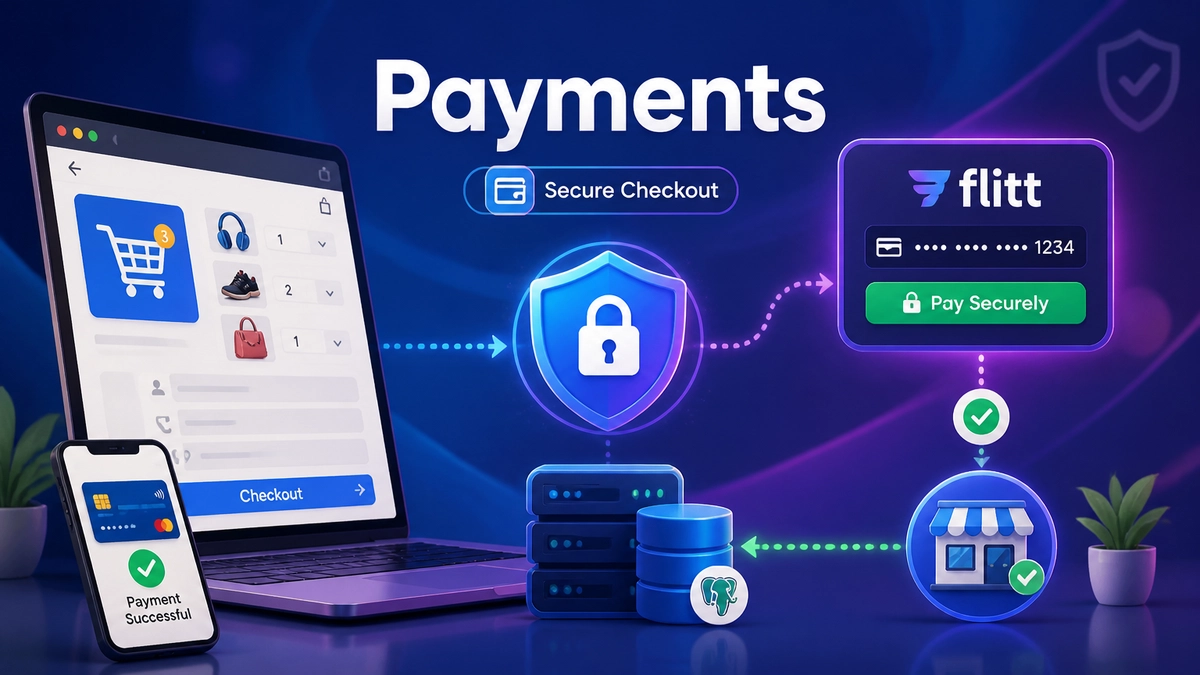
Payment on few.ge is a hosted checkout. The shop never sees the card. It creates an unpaid order, asks Flitt for a payment-page link, and only marks the order paid when Flitt’s server calls back with a valid signature and status approved.
The bigger picture
Three parties are involved.
- The browser holds the cart and checkout form. It never sends a price—only product IDs, quantities, and the customer’s name, email, phone, and address.
- Your backend (Vercel functions under
backend/api/) looks up actual prices from Supabase, stores the order, coordinates with Flitt, and is the sole component allowed to mark an order paid and reduce stock. - Flitt hosts the card page. After the customer pays, Flitt does two separate things: it sends the browser back to your site, and it POSTs the result to your server.
sequenceDiagram
  participant Browser
  participant API as few.ge API
  participant DB as Supabase
  participant Flitt

  Browser->>API: POST /api/checkout.js (ids + qty + contact)
  API->>DB: Read wine prices and stock, insert unpaid order
  API-->>Browser: { id }
  Browser->>API: POST /api/payments/flitt.js { orderId }
  API->>DB: Read stored amount
  API->>Flitt: POST /api/checkout/url (signed)
  Flitt-->>API: checkout_url
  API-->>Browser: checkout_url
  Browser->>Flitt: Customer pays on Flitt's page
  Flitt->>Browser: Redirect to /api/payments/return.js
  Browser->>Browser: /success?paid=1 or /cart
  Flitt->>API: POST /api/payments/callback.js
  API->>DB: fulfill_paid_order (paid = true, stock down)
  API->>API: Paid emails
The browser redirect and the server callback are independent. The success page is what the customer sees. The callback is what actually records the payment.
Where each piece lives
| Piece | File | Job |
|---|---|---|
| Checkout form | src/features/cart/ui/CheckoutForm.tsx | Validates the form, creates the order, then asks for a Flitt URL |
| Cart | src/store/cart.store.tsx | Local cart in localStorage. Cleared only on the success page |
| Create order | backend/api/checkout.js | Prices the cart from the database and inserts the order |
| Money | backend/lib/order-details.js | Turns GEL prices into tetri and adds shipping |
| Start payment | backend/api/payments/flitt.js | Signs the request and gets checkout_url from Flitt |
| Signature | backend/lib/flitt-signature.js | SHA1 signature Flitt requires |
| Browser return | backend/api/payments/return.js | Sends the customer to /success or /cart |
| Server callback | backend/api/payments/callback.js | Verifies Flitt and fulfills the order |
| Fulfillment | backend/lib/fulfill-order.js + SQL function | Sets paid, cuts stock, sends paid emails |
| Success screen | src/pages/SuccessPage.tsx | Thank-you page. Clears the cart |
Vercel serves those functions because vercel.json rewrites /api/* to backend/api/*. The .js suffix in the URLs is required. Without it the request hits the React app and returns 405.
1. The cart is only a shopping list
Prices on the page are for display. Shipping shown in the summary is a flat 20 GEL, same constant the server uses (src/lib/constants.ts and SHIPPING_GEL in order-details.js).
When the customer submits, the form sends ids and quantities only:
    const checkoutData = {
      name,
      email,
      phone,
      address,
      details: items.map((item) => ({
        id: item.id,
        quantity: item.quantity,
      })),
    };
Zod checks the form first (name at least 5 characters, a real email, phone at least 7 digits, address at least 7 characters). Phone input strips anything that is not a digit.
2. The server prices the order and saves it unpaid
POST /api/checkout.js refuses any request whose Origin is not ALLOWED_ORIGIN. Then it rebuilds the order from the wines table:
  const productIds = [...qtyById.keys()];
  const { data: wines, error: err } = await supabaseClient
    .from('wines')
    .select('id, name, winery, year, price, stock')
    .in('id', productIds);
  // ...
    if (quantity > Number(wine.stock)) {
      return res
        .status(427)
        .json({ error: 'Some of products are not available' });
    }
    lines.push({
      id,
      name: wine.name,
      winery: wine.winery,
      vintage: wine.year,
      price,
      quantity,
    });
A tampered cart price never reaches the database. Unknown products are rejected. Quantity must be an integer from 1 to 99. If someone asks for more bottles than stock, checkout stops with 427. Stock is not reduced here. That happens only after a successful payment, so an abandoned checkout does not hold inventory.
The amount is stored in tetri (1 GEL = 100 tetri), which is the unit Flitt charges in:
export function amountTetri(lines) {
  const goods = lines.reduce(
    (sum, line) => sum + Math.round(Number(line.price) * 100) * line.quantity,
    0
  );
  return goods + SHIPPING_GEL * 100;
}
A 24.50 GEL wine, two bottles, plus 20 GEL shipping:
round(24.50 × 100) × 2 + 20 × 100 = 4900 + 2000 = 6900 tetri, which is 69.00 GEL.
That number, plus the line items, is what gets saved:
  const { data, error } = await supabaseClient
    .from('orders')
    .insert({
      email,
      phone,
      address,
      details: JSON.stringify({ amount, lines }),
      name,
    })
    .select()
    .single();
details looks like:
{
  "amount": 6900,
  "lines": [
    { "id": "...", "name": "...", "winery": "...", "vintage": 2022, "price": 24.5, "quantity": 2 }
  ]
}
The new row is unpaid. The handler then emails the customer and the admin that an order was created. Those emails go out before any money moves. The response to the browser is only { id }.
3. The browser asks Flitt for a checkout link
Right after the order id comes back, the form calls the payment endpoint and leaves the site:
      const paymentRes = await fetch('/api/payments/flitt.js', {
        method: 'POST',
        headers: { 'Content-Type': 'application/json' },
        body: JSON.stringify({ orderId: data.id }),
      });
      // ...
      if (paymentData?.response?.checkout_url) {
        window.location.href = paymentData.response.checkout_url;
      }
flitt.js loads that order, refuses it if paid is already true, and reads amount from the stored details. The browser cannot name a different amount.
It then asks Flitt for a hosted page. This is Flitt’s “scheme B”: your server POSTs to https://pay.flitt.com/api/checkout/url, Flitt replies with checkout_url, and the browser is sent there.
  const params = {
    amount,
    currency: 'GEL',
    merchant_id: String(process.env.FLITT_MERCHANT_ID),
    order_desc: 'Order payment',
    order_id: String(order.id),
    response_url: `${SITE}/api/payments/return.js`,
    server_callback_url: `${SITE}/api/payments/callback.js`,
  };

  const flittRes = await fetch('https://pay.flitt.com/api/checkout/url', {
    method: 'POST',
    headers: { 'Content-Type': 'application/json' },
    body: JSON.stringify({
      request: {
        ...params,
        signature: signParams(params, process.env.FLITT_SECRET_KEY),
      },
    }),
  });
Two URLs in that request do different jobs:
response_urlis where the customer’s browser comes back.server_callback_urlis where Flitt’s server reports the result. The customer never hits this URL.
The card form, 3-D Secure, and the charge all happen on Flitt. Your app stores no card number.
4. The signature
Every request to Flitt, and every callback from Flitt, carries a signature so neither side can be faked.
export function signParams(params, secretKey) {
  const values = Object.entries(params)
    .filter(
      ([key, value]) =>
        key !== 'signature' &&
        key !== 'response_signature_string' &&
        value !== undefined &&
        value !== null &&
        value !== ''
    )
    .sort(([a], [b]) => a.localeCompare(b))
    .map(([, value]) => value);

  return crypto
    .createHash('sha1')
    .update([secretKey, ...values].join('|'), 'utf8')
    .digest('hex');
}
Take every field except the signature itself, drop empties, sort the keys alphabetically, join the values with |, put the secret key at the front, and SHA1 that string.
For the params above the string is roughly:
SECRET|6900|GEL|MERCHANT_ID|Order payment|ORDER_UUID|https://www.few.ge/api/payments/return.js|https://www.few.ge/api/payments/callback.js
On the way back, signaturesMatch rebuilds that hash and compares it with crypto.timingSafeEqual, so a forged callback is rejected before any order is touched. The callback also checks that merchant_id is yours.
5. The customer comes back
Flitt redirects the browser to return.js. That handler does not write to the database. It only chooses the next page:
  const { order_status: orderStatus } = paymentParams(req);
  const location =
    !orderStatus || orderStatus === 'approved'
      ? `${SITE}/success?paid=1`
      : `${SITE}/cart`;

  res.statusCode = 303;
  res.setHeader('Location', location);
approved (and a redirect that arrived without a status) goes to /success?paid=1. Any other status, such as a declined payment, goes back to /cart. The cart is still in localStorage in that case, so the customer can try again. A second try creates a new order. The old unpaid row stays unpaid.
The success page clears the cart only when paid=1:
  useEffect(() => {
    if (!paid) return;
    const clearCart = () => useCart.getState().clear();
    if (useCart.persist.hasHydrated()) clearCart();
    return useCart.persist.onFinishHydration(clearCart);
  }, [paid]);
It waits for Zustand to finish reading localStorage first. Otherwise the saved cart can be written back after the clear.
That page is a thank-you screen. It does not ask the server whether the order is paid.
6. The callback is the payment
Flitt POSTs the same result to callback.js. This is the step that changes the order.
  if (
    !params.signature ||
    String(params.merchant_id) !== String(process.env.FLITT_MERCHANT_ID) ||
    !signaturesMatch(params, secretKey)
  ) {
    return res.status(400).json({ error: 'Invalid signature' });
  }

  if (params.order_status !== 'approved') {
    return res.status(200).json({ ok: true });
  }

  try {
    await fulfillPaidOrder(params.order_id, Number(params.amount));
  } catch (error) {
A bad signature is a 400. A real callback whose status is anything other than approved is answered 200 and ignored, so Flitt does not keep retrying a decline. Only approved continues.
fulfillPaidOrder calls the Postgres function fulfill_paid_order. That function holds a row lock, so two callbacks for the same order cannot both reduce stock:
  select details::text, paid
    into v_details, v_paid
  from orders
  where id::text = p_order_id
  for update;

  if not found then
    return 'missing';
  end if;

  if v_paid is true then
    return 'already_paid';
  end if;
  -- amount must equal the amount stored at checkout
  -- each line: stock = stock - quantity, only if enough remains
  update orders set paid = true where id::text = p_order_id;
  return 'paid';
Four outcomes matter:
already_paid— callback arrived twice. Stock is left alone, and no second email is sent.amount_mismatch— the tetri Flitt reports are not the tetri stored on the order. The order stays unpaid.insufficient_stock— someone else bought the last bottles between checkout and payment. The update rolls back, sopaidstays false.paid— stock is reduced andorders.paidbecomes true. Then the customer and the admin get the paid emails. If those emails fail, the payment still stands. The function only logs the mail error.
Only the Supabase service_role key can run that function. The public API roles cannot.
What you should remember
- Checkout creates an unpaid order at database prices, then emails “order created”.
- Flitt charges the stored tetri amount on its own page.
- The browser return only picks
/successor/cart. - The signed callback is what sets
paid, reduces stock, and sends the “order paid” emails. - A repeated callback is safe. The row lock and the
already_paidresult make fulfillment run once.
These are the folders that take part in payment, and what each file is for.
Backend
Vercel turns every file under backend/api/ into an HTTP endpoint. A file at backend/api/payments/flitt.js is called as /api/payments/flitt.js. The lib/ folder is not a URL. Those files are helpers imported by the endpoints.
backend/
├── package.json
├── api/
│   ├── checkout.js              # POST: price the cart from the DB, insert an unpaid order, send "order created" mail
│   ├── orders/
│   │   └── pay.js               # Not used by the checkout form. Marks an order paid without Flitt
│   └── payments/
│       ├── flitt.js             # POST: sign the stored amount and ask Flitt for checkout_url
│       ├── return.js            # Browser comes back here. Redirects to /success or /cart
│       └── callback.js          # Flitt's server POSTs here. This is what marks the order paid
└── lib/
    ├── flitt-signature.js       # Build and check the SHA1 signature
    ├── order-details.js         # GEL prices → tetri, plus 20 GEL shipping
    ├── fulfill-order.js         # Call the SQL function, then send "order paid" mail
    ├── mails.js                 # The four email templates (created/paid × customer/admin)
    ├── send-mail.js             # Sends one email
    └── supabase-client.js       # Server-side Supabase client (service role)
api/ is the edge the browser and Flitt hit. lib/ is the shared work those endpoints call. callback.js and pay.js both end up in fulfill-order.js. Only callback.js is on the real payment path.
Database
supabase/
└── migrations/
    └── 20261114120000_fulfill_paid_order.sql   # fulfill_paid_order(): lock the row, check the amount, cut stock, set paid = true
The Node code does not update orders.paid or wines.stock itself. It calls this function so both changes happen in one locked transaction.
Client
The cart is split the same way as the rest of the app: a thin route, a page, a widget, and the form that actually talks to the API.
src/
├── routes/
│   ├── cart.tsx                 # URL /cart → CartPage
│   └── success.tsx              # URL /success?paid=1 → SuccessPage
│
├── pages/
│   ├── CartPage.tsx             # Switches between the cart step and the checkout step
│   ├── SuccessPage.tsx          # Thank-you screen. Clears the cart when paid=1
│   └── SuccessPage.module.css
│
├── widgets/
│   └── cart/ui/
│       └── Cart.tsx             # The cart step: line items, quantities, "next" into checkout
│
├── features/
│   └── cart/ui/
│       ├── CheckoutForm.tsx     # The only client file that calls the API: /api/checkout.js, then /api/payments/flitt.js
│       ├── OrderSummary.tsx     # Sidebar totals on the checkout step (display only)
│       └── AddToCart.tsx        # Adds a wine to the cart from a product page
│
├── entities/
│   └── cart/ui/
│       ├── CheckoutProgress.tsx # "Cart → Checkout" steps
│       ├── PriceCalculator.tsx  # Subtotal, shipping, total on the cart step
│       ├── CartNavigation.tsx   # Back / next buttons
│       └── CartNavigation.module.css
│
├── store/
│   ├── cart.store.tsx           # Cart items, saved in localStorage
│   └── checkoutForm.store.tsx   # Name, email, phone, address while the form is open
│
└── lib/
    └── constants.ts             # shippingPrice = 20, matching the backend
How a click moves through those folders:
AddToCartwrites intocart.store./cartrendersCartPage, which showswidgets/cartfirst andCheckoutFormafter the customer continues.CheckoutFormcallscheckout.js, thenpayments/flitt.js, then leaves the site for Flitt's page.- Flitt sends the browser to
payments/return.js, which lands on/success. SuccessPagereads?paid=1and clearscart.store.
Nothing under src/ decides that money was received. That decision stays in backend/api/payments/callback.js and the SQL function.